%20--%3e%3cdefs%3e%3cstyle%3e%20.st0%20{%20fill:%20%23fe8a24;%20}%20.st1%20{%20fill:%20%23505055;%20}%20%3c/style%3e%3c/defs%3e%3cg%3e%3cpath%20class='st1'%20d='M947.64,64.98h-43.49v-3.05c0-10.49,2.54-17.09,21.83-17.09s21.66,6.6,21.66,17.09v3.05ZM971.33,89.01v-1.18h-23.69c0,6.43-3.89,11.17-20.99,11.17-18.61,0-22.51-6.26-22.51-16.24v-4.23h67.18v-18.79c0-16.08-4.57-29.44-45.35-29.44s-45.35,13.37-45.35,29.44v24.71c0,15.91,5.25,29.44,46.03,29.44,35.54,0,44.68-8.97,44.68-24.87M863.16,84.44v-3.89h-24.2v1.18c0,10.49-1.86,17.1-21.15,17.1s-21.33-6.6-21.33-17.1v-19.29c0-10.49,2.03-17.09,21.33-17.09s21.15,6.6,21.15,17.09v.51h24.2v-3.22c0-16.08-4.57-29.45-45.35-29.45s-45.36,13.37-45.36,29.45v24.71c0,15.91,4.57,29.44,45.36,29.44,40.78,0,45.35-13.53,45.35-29.44M754.99,112.87v-52.8c0-18.79-6.26-29.78-36.55-29.78-15.91,0-26.4,4.23-30.63,11l-1.69-9.98h-21.83v81.56h24.2v-46.03c0-15.74,6.77-20.65,24.03-20.65,14.04,0,18.28,4.23,18.28,15.91v50.77h24.2ZM623.12,64.98h-43.49v-3.05c0-10.49,2.54-17.09,21.83-17.09s21.66,6.6,21.66,17.09v3.05ZM646.81,89.01v-1.18h-23.7c0,6.43-3.89,11.17-20.99,11.17-18.61,0-22.51-6.26-22.51-16.24v-4.23h67.19v-18.79c0-16.08-4.57-29.44-45.36-29.44s-45.35,13.37-45.35,29.44v24.71c0,15.91,5.24,29.44,46.03,29.44,35.54,0,44.68-8.97,44.68-24.87M538.64,31.31h-24.2v81.56h24.2V31.31ZM402.87,64.98h-43.49v-3.05c0-10.49,2.54-17.09,21.83-17.09s21.66,6.6,21.66,17.09v3.05ZM426.56,89.01v-1.18h-23.69c0,6.43-3.89,11.17-20.98,11.17-18.61,0-22.51-6.26-22.51-16.24v-4.23h67.18v-18.79c0-16.08-4.57-29.44-45.35-29.44s-45.36,13.37-45.36,29.44v24.71c0,15.91,5.25,29.44,46.03,29.44,35.54,0,44.68-8.97,44.68-24.87M294.19,62.1v19.98c0,11.68-4.23,16.08-18.28,16.08-17.26,0-24.03-5.08-24.03-20.82v-10.32c0-15.74,6.77-20.98,24.03-20.98,14.05,0,18.28,4.4,18.28,16.07M318.39,59.57c0-16.75-6.26-29.28-36.55-29.28-15.91,0-26.4,4.23-30.63,11l-1.69-9.99h-21.83v112.87h24.2v-41.29c4.23,6.77,13.88,11,29.95,11,30.29,0,36.56-12.52,36.56-29.27v-25.05h0Z'/%3e%3cpath%20class='st1'%20d='M66,82.25c0,11.33-9.48,16.75-27.92,16.75-7.79,0-14.04-2.88-14.04-11.68s3.04-11.34,15.06-11.34h26.91v6.26h0ZM90.03,112.87v-53.13c0-16.08-4.23-29.44-44.34-29.44C11.34,30.29,3.55,39.94,3.55,53.31l24.37,1.02c0-5.92,3.39-9.81,17.77-9.81,18.11,0,20.31,6.26,20.31,16.08v1.69h-33.34C13.03,62.28,0,68.71,0,86.14s8.13,27.75,33.34,27.75c19.29,0,28.94-4.23,33.17-11l1.69,9.98h21.84Z'/%3e%3cpath%20class='st1'%20d='M196.59,59.4l-10.83-4.06,10.83-4.06c8.46-3.22,12.35-10.83,12.35-19.12V0h-25.21v29.62c0,10.66-5.92,16.42-19.46,16.42h-10.83c-13.54,0-19.46-5.76-19.46-16.42V0h-25.21v32.16c0,8.29,3.89,15.9,12.35,19.12l10.83,4.06-10.83,4.06c-8.46,3.22-12.35,10.83-12.35,19.12v34.35h25.21v-31.81c0-10.66,5.92-16.42,19.46-16.42h10.83c13.54,0,19.46,5.75,19.46,16.42v31.81h25.21v-34.35c0-8.29-3.89-15.91-12.35-19.13'/%3e%3c/g%3e%3cpolygon%20class='st0'%20points='146.67%20-.04%20146.67%2020.27%20170.87%2020.27%20170.97%2020.27%20170.97%20-.04%20146.67%20-.04'/%3e%3cpath%20class='st1'%20d='M500.43,30.41c-.72-.04-1.42-.11-2.17-.11-15.91,0-26.4,4.23-30.63,11l-1.69-9.98h-21.83v81.57h24.2v-46.2c0-13.88,6.77-19.46,24.03-19.46,2.66,0,5.42.27,8.09.67v-17.48Z'/%3e%3c/svg%3e)
From delivery note to doorstep.
Shipment Manager plans and controls your own deliveries: deliveries are transferred automatically from your ERP, drivers deliver with the Shipment App – and your customers track their deliveries live.
Contact & quote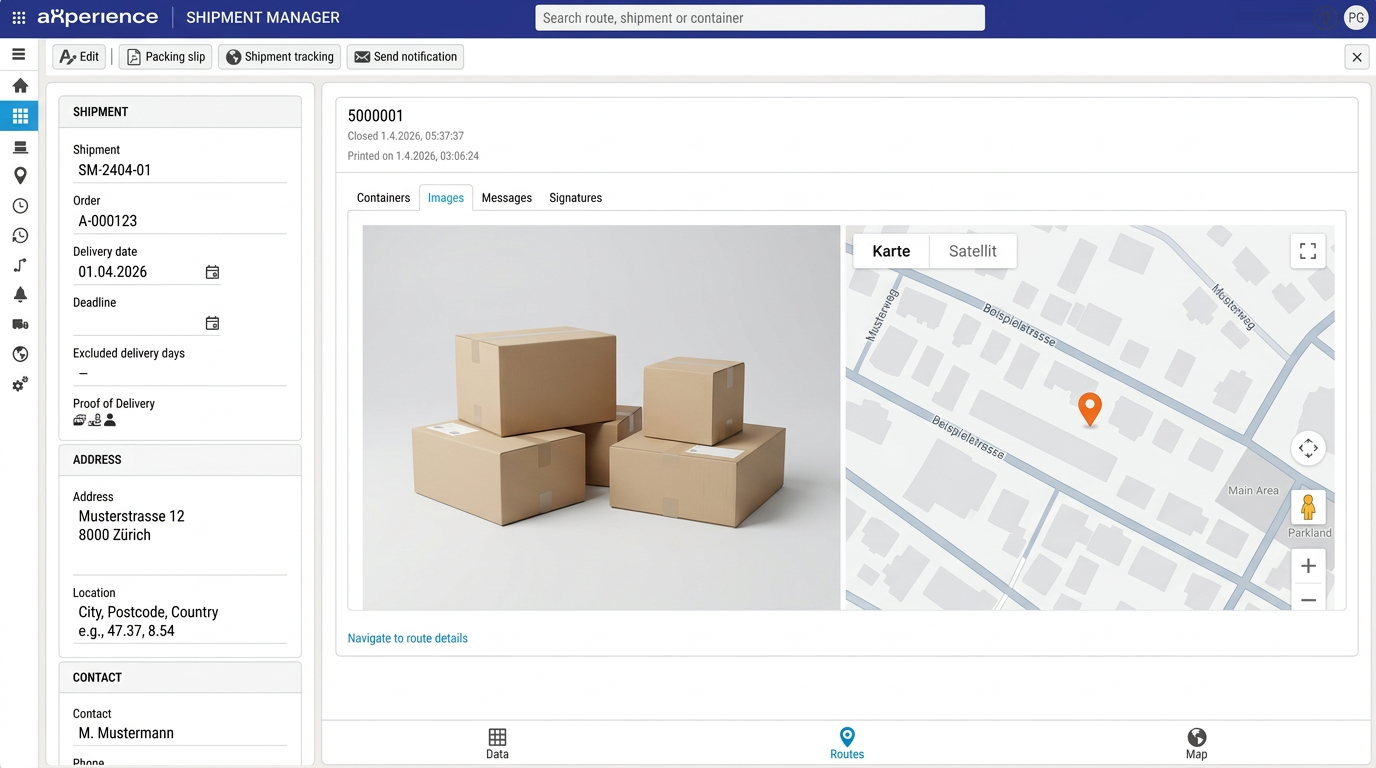
From delivery note to delivery.
- 1
Post delivery note
Packages, items, time windows, instructions and PDF are transferred automatically from Dynamics 365 to Shipment Manager.
- 2
Assign tour
Postcode, tour schedule and hub determine the correct tour – or dispatchers assign it manually.
- 3
Plan route
Optimise the stop sequence with Google Maps and release the route. Loading lists and delivery notes are ready to print.
- 4
Load
Scan packages in the Shipment App and document the loaded vehicle with a photo.
- 5
Deliver
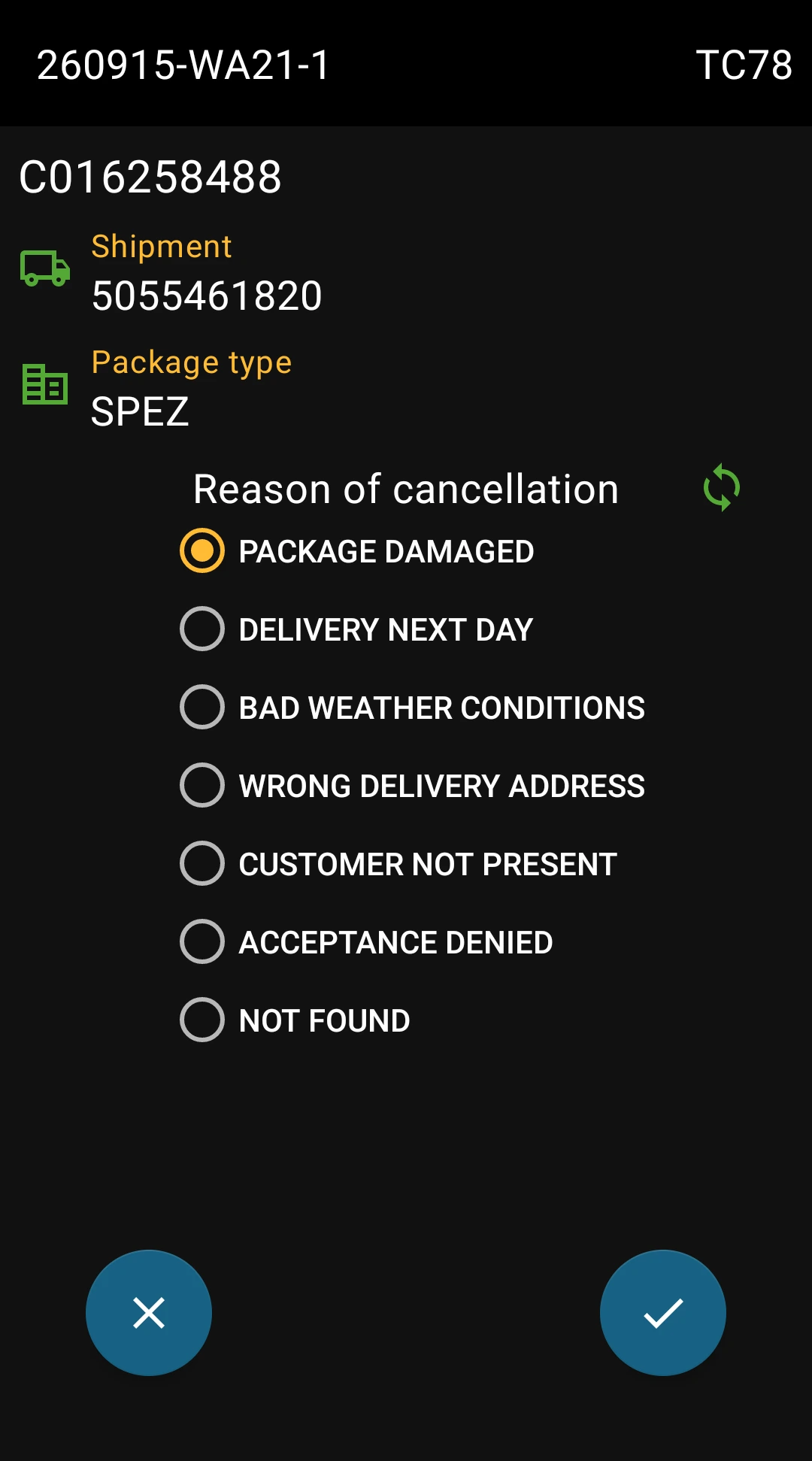
Scan packages and record photos, signatures and returnable containers. Cancel undeliverable packages with a reason.
- 6
Report back
Delivery time, arrival time, unloading photo and tracking link are available in the ERP – without retyping.
Deliveries
Deliveries are transferred automatically from Dynamics 365 when the delivery note is posted – including packages, items, time windows, instructions and PDF. Other ERP systems can be connected via API or file interface.
Assign to a tour
Postcode, tour schedule and hub automatically assign each delivery to the correct tour and route. Dispatchers can also assign deliveries manually.
Change tour
A delivery can be reassigned to another tour if required.
Manual unloading
Manual unloading is intended as a fallback option. It allows the actual delivery date to be recorded and an unloading photo to be attached.
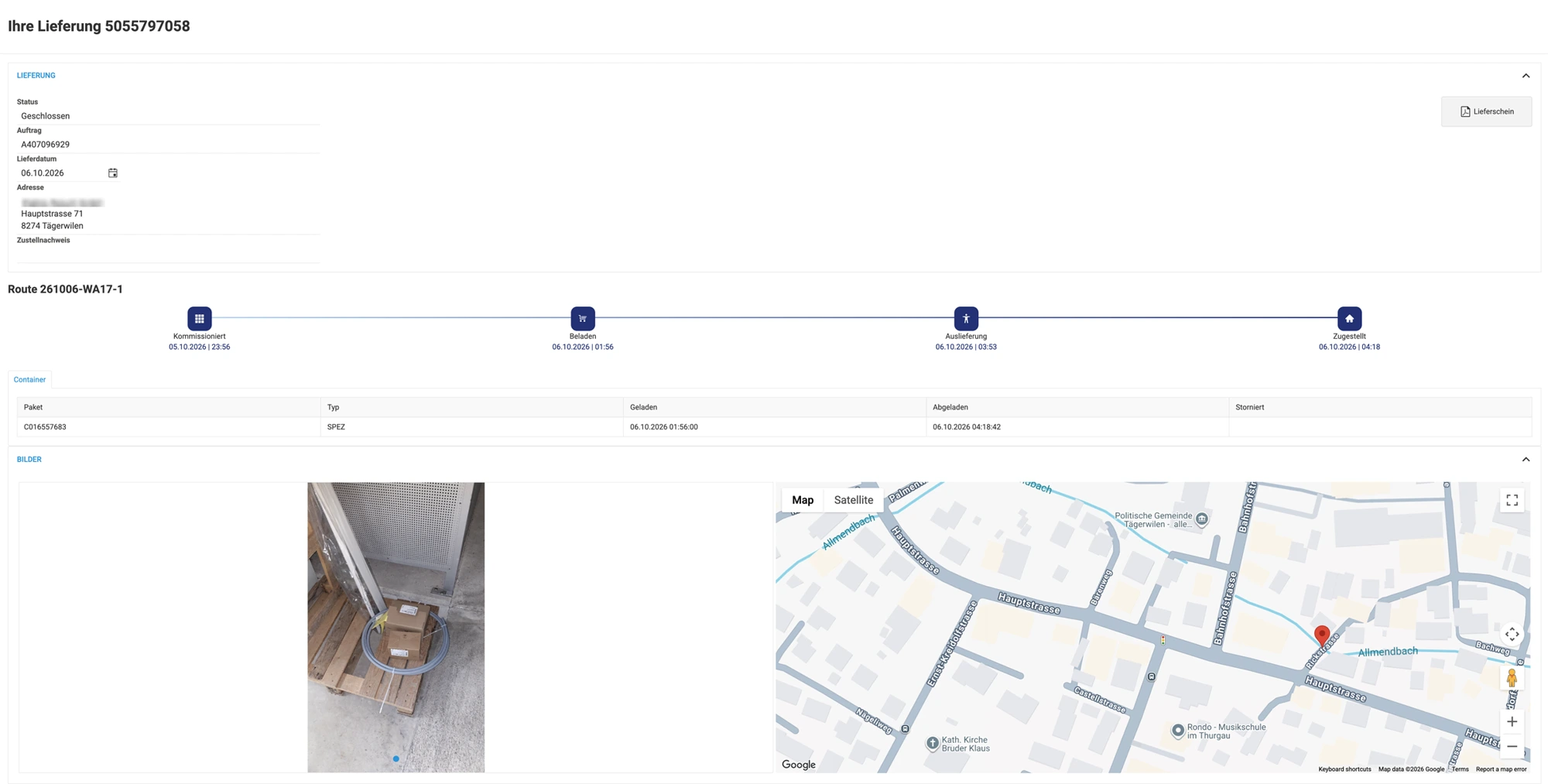
Delivery with Proof of Delivery (POD), unloading photo and unloading location – sample data
Routes
Routes group deliveries that are dispatched together in one vehicle at a specific time.
Release route
Decide which routes are released for dispatch.
Map & optimisation
Optimise routes via Google Maps, change the order of waypoints or reverse an entire route. The estimated time of arrival (ETA) is calculated automatically.
Delivery note & loading list
Delivery notes can be printed as PDFs. A loading list with all relevant information can be printed for the driver.
Close / reopen route
Routes can be manually closed and reopened if required.
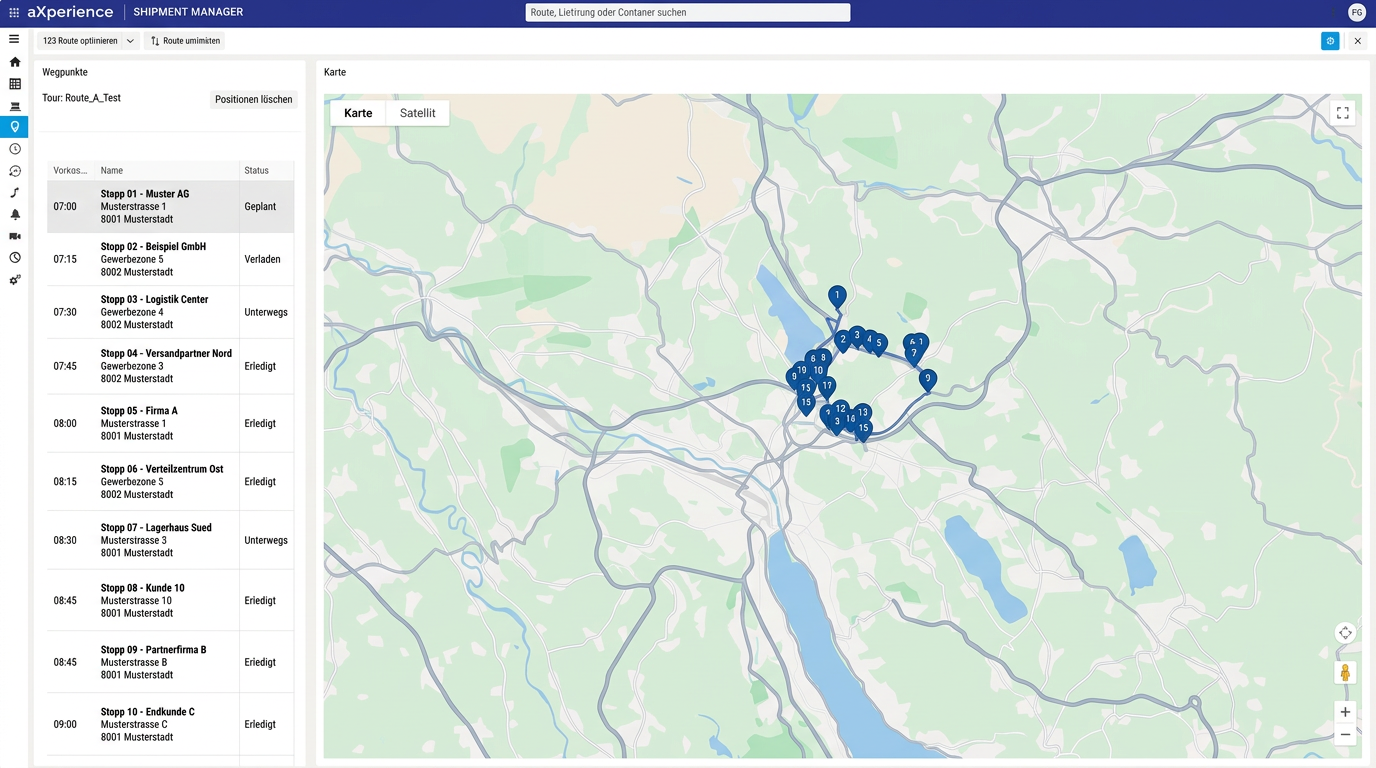
Route overview with stops and planning – sample data
Waypoints
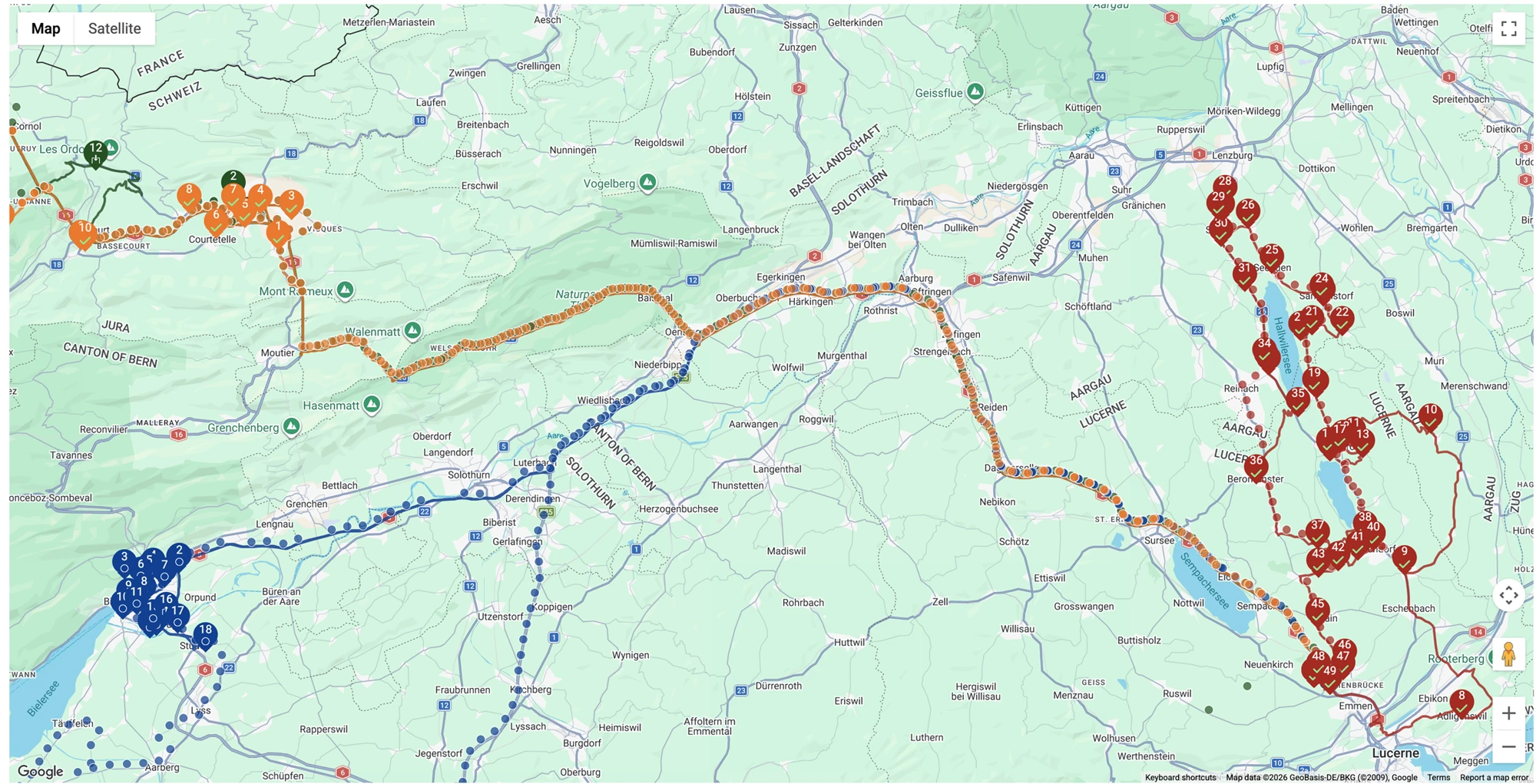
The waypoints of a route contain all details supplied or recorded for a delivery.
Track & Trace data
Address, instructions, delivery information, packages with loading, unloading or deletion times, photos, signatures and a map showing the actual unloading location.
Manage deliveries and packages
A delivery or individual package can be removed from a route and reassigned.
Upload image
In an emergency, a photo providing proof can be uploaded manually.
Planning
Efficient delivery starts with well-planned tours. In Dynamics 365, the delivery date and order cut-off are calculated directly in the order and quotation – using the postcode, tour schedule and calendars.
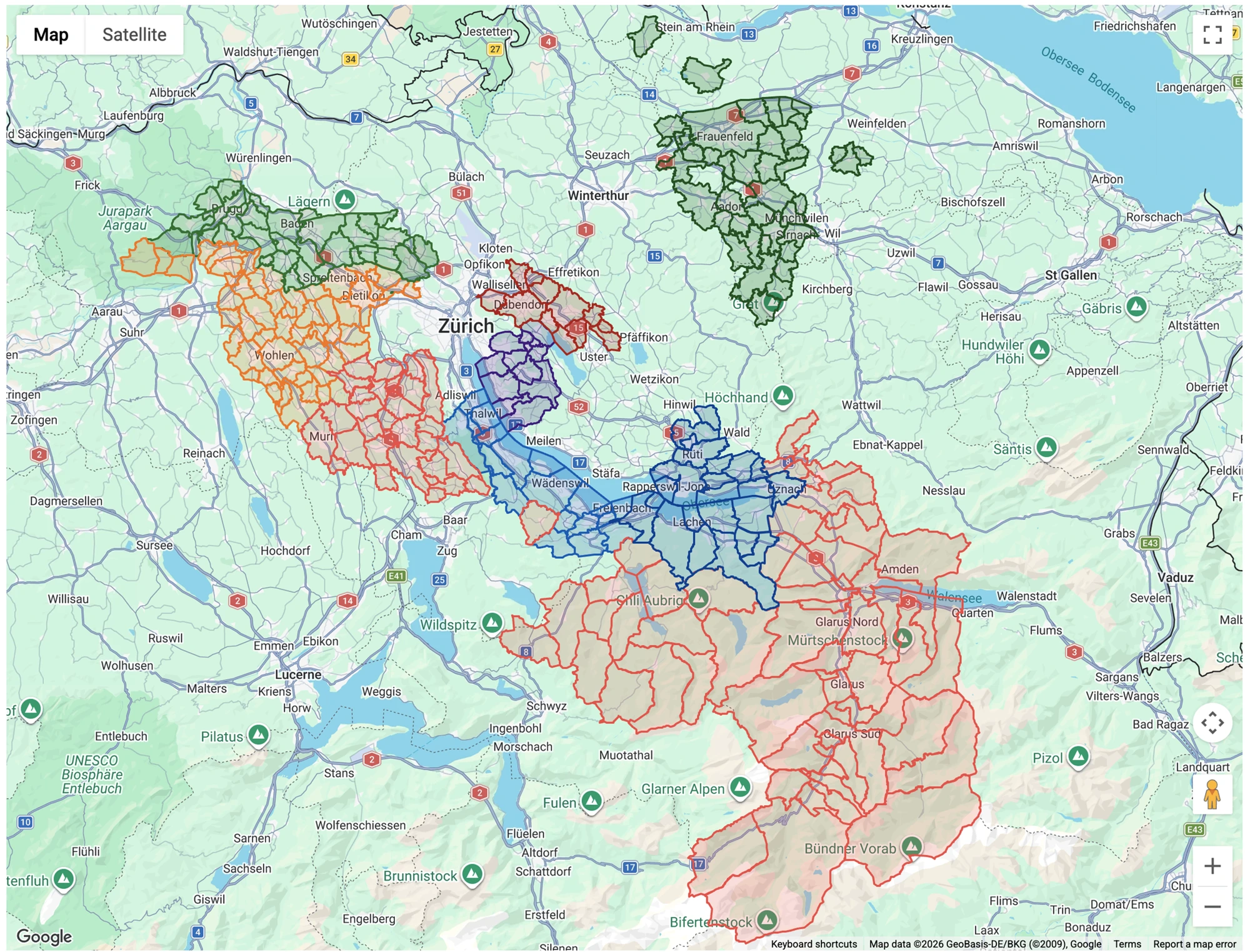
Visualise tours
Plan your tours by displaying them on the map. Additional information includes the number of customers, deliveries in the previous month and a classification for each postcode.
Vehicle management
Manage vehicles and vehicle types, including economic and environmental characteristics.
Proof of Delivery (POD)
Proof of Delivery – complete documentation of every delivery for you and your customers.
Digital signatures
Photo with GPS, signature and optional recipient name – configurable for each customer and captured directly on the mobile device.
Photos & timestamps
Document every delivery with photos and automatic timestamps.
GPS coordinates
The exact unloading location is recorded automatically using GPS coordinates.
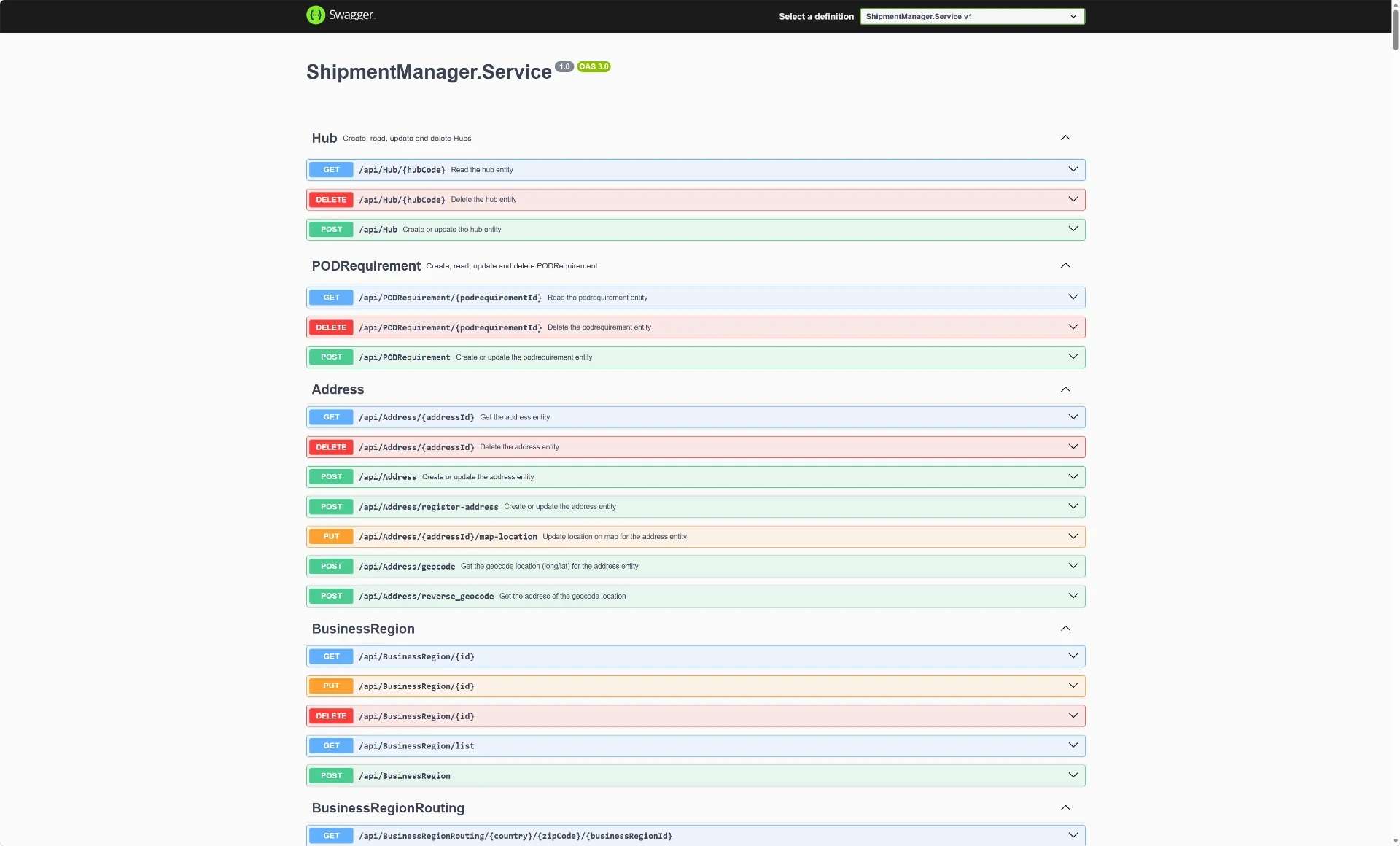
Interface (API)
Drawing on experience from numerous ERP implementations, we offer a comprehensive REST API.
Ready for Dynamics 365
A ready-made integration is available for Dynamics 365 Finance & Supply Chain Management. Any other ERP can be connected via REST API or file interface.
Calculate delivery date
Calculate the expected delivery date based on tour planning and capacity.
Real-time events
Delivery process events flow into your systems in real time via Azure Service Bus and Event Hub.
Feedback to your ERP
Delivery time, estimated arrival, unloading photo and a tracking link for every delivery are available in your ERP – via batch processing with retries on failure.
File interfaces
Transport orders and statuses are exchanged as files – via FTP, SFTP, HTTP or email.
Shipment App
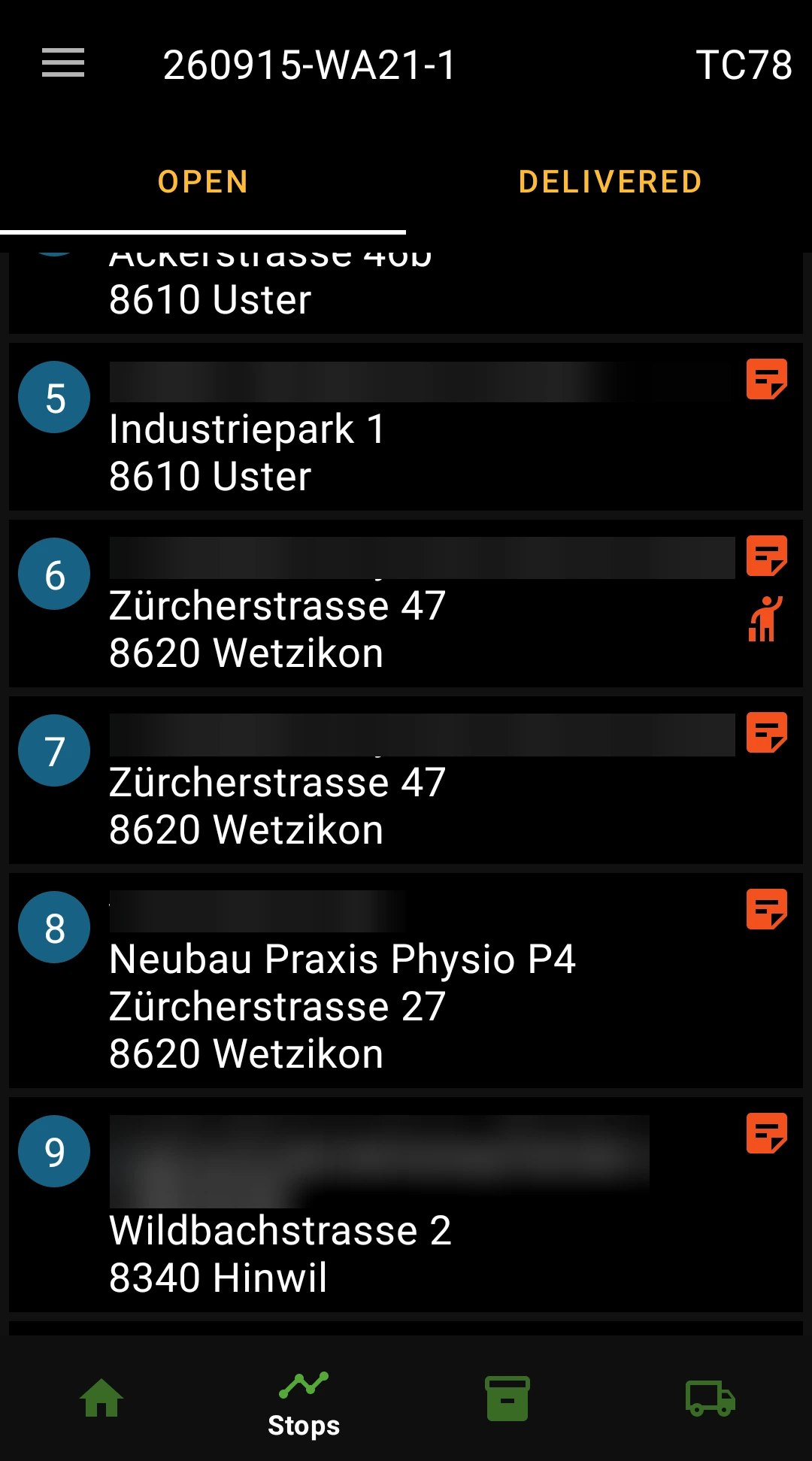
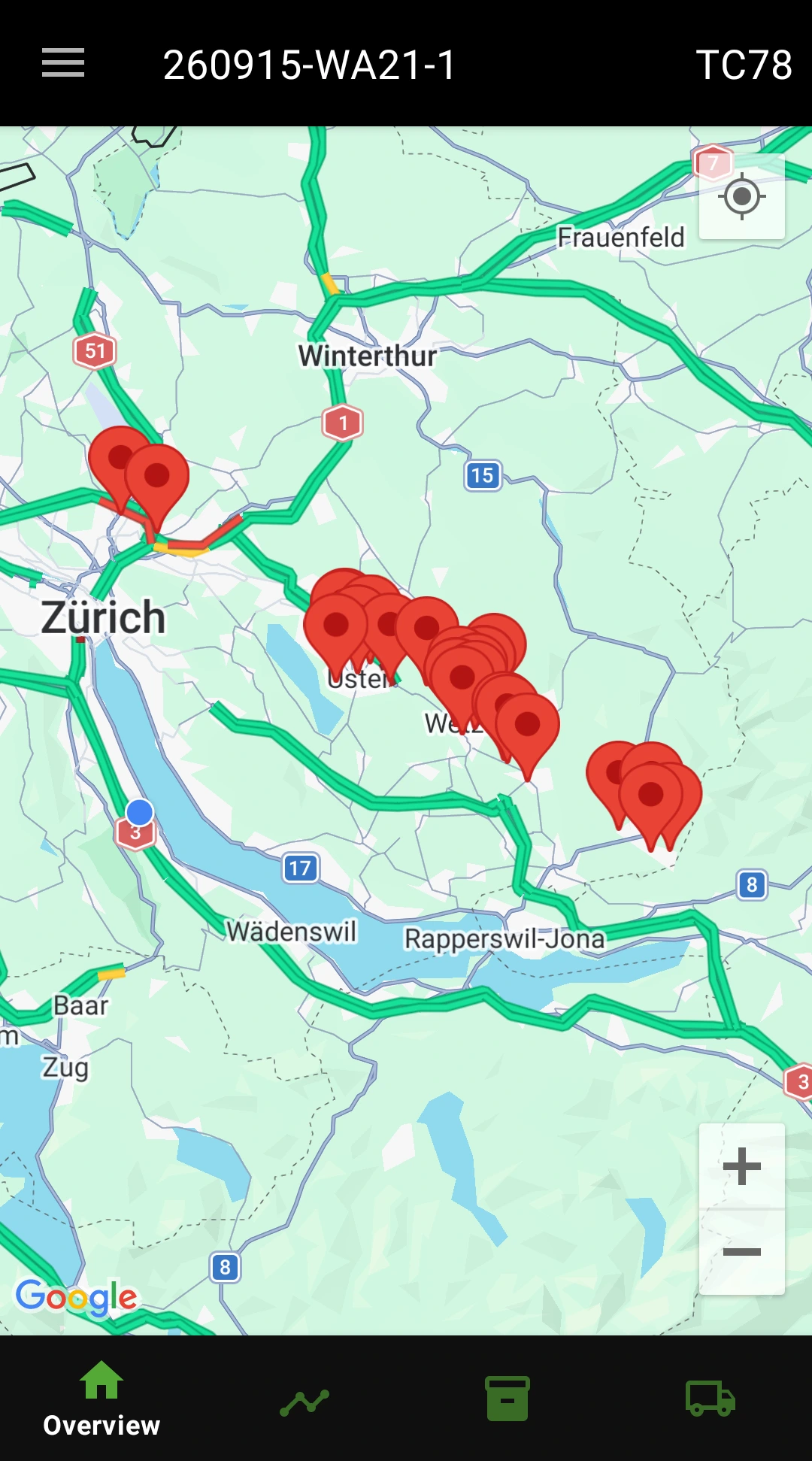
The Shipment App guides drivers through the route: load, drive, deliver. Each action is saved on the device first and synchronised as soon as a network connection is available.
Navigation
Handover to Google Maps and a distance warning at each stop. While driving, the app records the vehicle's GPS track.
Record loading
Scan packages using the Android phone camera or scanners from Zebra, Urovo and MEFERI. A photo documents the loaded vehicle.
POD capture
Scan packages and capture photos and signatures. Undeliverable packages are cancelled with a reason; returns can be captured by scan.
Offline mode
The app works without an internet connection – data is synchronised automatically.
Keep your customers informed.
Each delivery has its own signed tracking link – provided on a website or by email, without a login, in four languages. Your customers see progress, packages, photos, the signature and the delivery note as a PDF.
Picked → Loaded → Out for delivery → Delivered
On request, status changes are also sent as events to Azure Service Bus, Azure Event Hub or to other systems by email.
Technical facts.
- Hosting
- Microsoft Azure – in the browser
- Shipment App
- Android 8.1 or later; connect the device via QR code
- Sign-in
- Microsoft Entra ID, roles and permissions
- ERP
- Connectable via REST API; Dynamics 365 Finance & Supply Chain Management fully integrated
- Languages
- German, English, French, Italian
- Extensions
- Empties Management, Visit Manager, master containers and carrier interfaces
Your next step with Shipment Manager.
Whether you have an initial question, would like a personal demo or need a tailored quote – we are here for you. Shipment Manager is available on request.
Have a question?
We answer your questions about features, interfaces and using the solution in your company.
Ask a questionExperience the solution live
Discover in a personal conversation how the app can support your processes.
Book a demo